How to Secure Smart Home Devices: IoT Network Segmentation Guide 2026
Introduction: The Trojan Horse in Your Living Room
You have secured your laptop. You have updated your phone. You have a strong firewall.
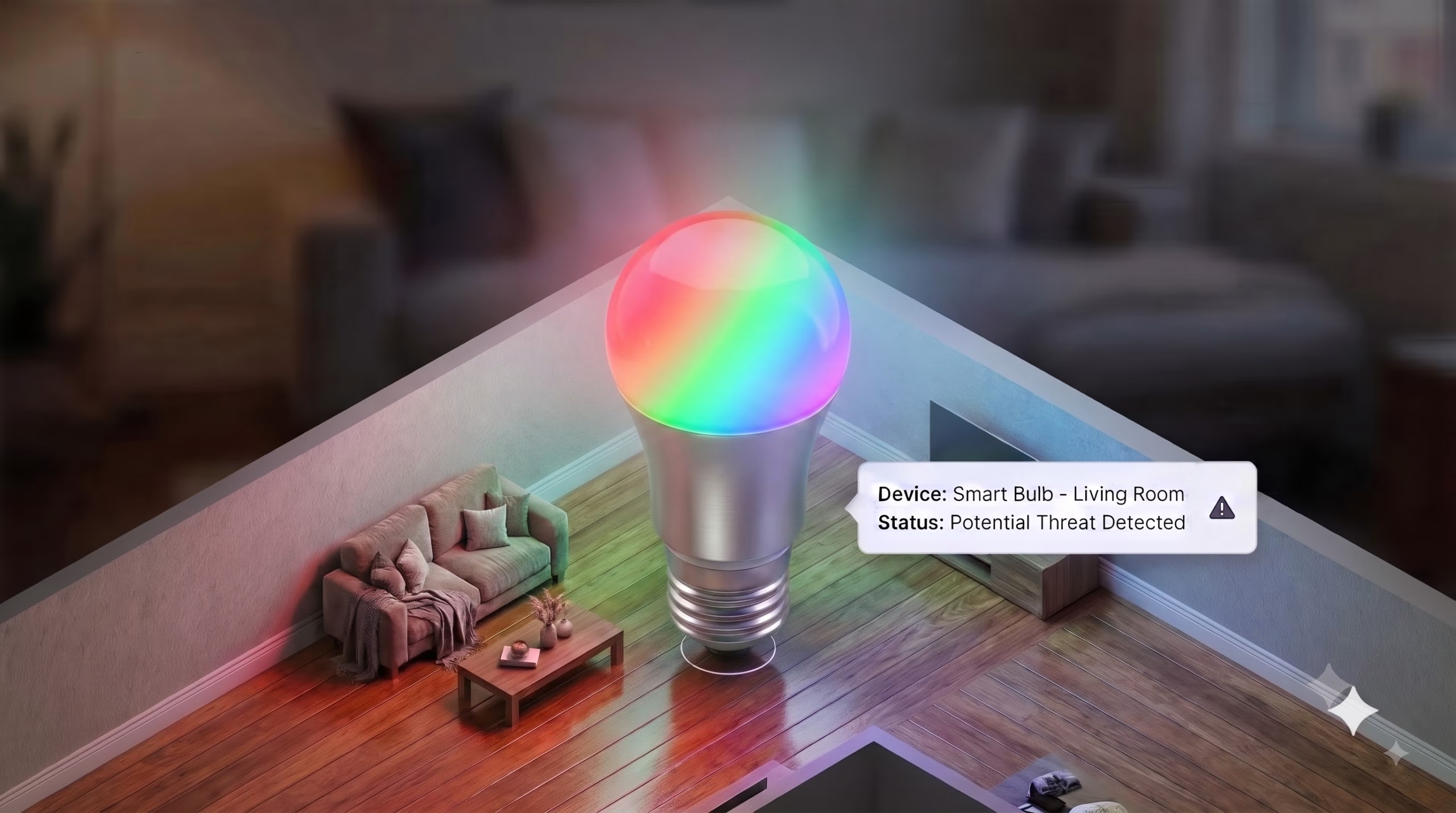
But what about your $15 Wi-Fi smart lightbulb?
The “Internet of Things” (IoT) has brought convenience to our homes, but it has also brought massive risk. These devices—smart fridges, robotic vacuums, thermostats, and cameras—are often built by manufacturers who prioritize low cost over secure smart home protocols. They rarely receive software updates, often have hard-coded passwords, and, critically, they live on the same Wi-Fi network as your banking laptop.
If a hacker compromises your smart bulb (which is easier than you think), they are now “inside the wire.” Without proper IoT network segmentation, they can use that bulb as a pivot point to attack your main computer, bypassing your router’s firewall entirely.
This guide explains how to put your smart devices in a digital quarantine to isolate IoT devices effectively.
The Threat: Lateral Movement in Flat Networks
To understand why isolation is necessary, you must understand Lateral Movement.
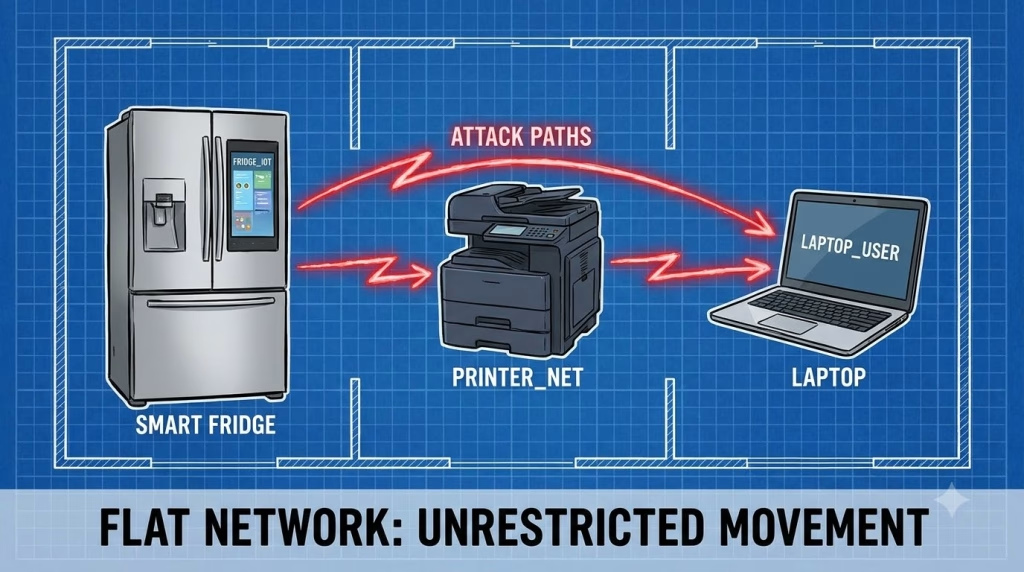
In a standard home network (called a “Flat Network”), every device can talk to every other device.
- Your Laptop (192.168.1.5) can ping your Printer (192.168.1.10).
- Your Printer can ping your Smart TV (192.168.1.15).
If an attacker finds a vulnerability in the cheap firmware of your Smart TV, they gain a foothold. Because the network is “flat,” they can scan the network, find your work laptop, and launch attacks against it directly from the TV. Your router’s firewall doesn’t stop this, because the traffic is inside the house.
The Solution: VLANs for secure smart Home Network Security
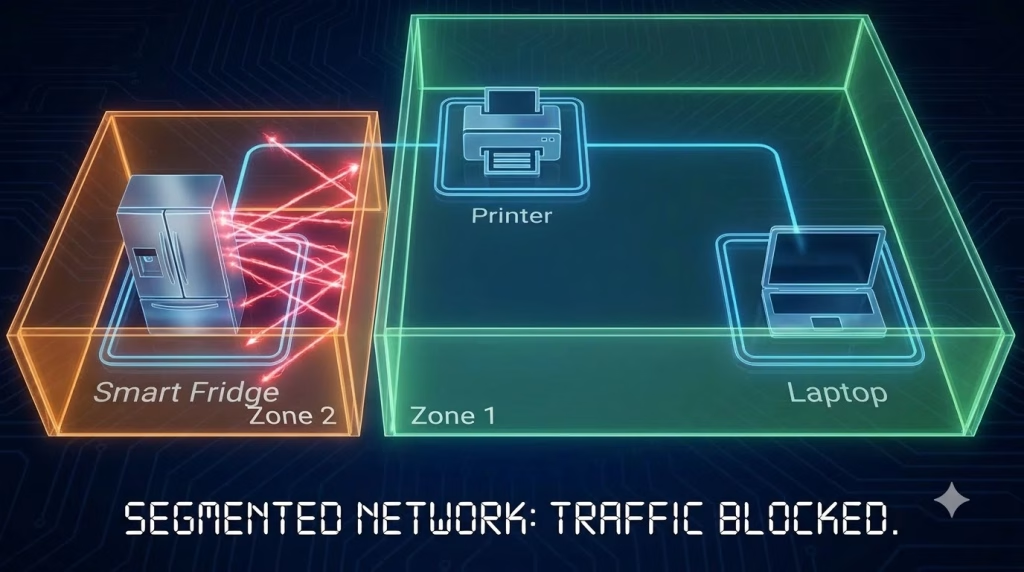
The enterprise solution to this problem is the VLAN (Virtual Local Area Network). A VLAN essentially chops your single physical router into multiple virtual networks that cannot see each other, creating effective IoT network segmentation.
The Ideal Secure Smart Home Setup:
- VLAN 10 (Trusted): Laptops, Phones, NAS (Network Attached Storage).
- VLAN 20 (IoT): Thermostats, Smart Plugs, Fridges.
- VLAN 30 (Cameras): IP Cameras (restricted from internet access).
In this setup, if the Smart Fridge in VLAN 20 is hacked, the attacker is trapped. They cannot see or touch the laptop in VLAN 10. The router acts as a border guard, ensuring smart home privacy.
Method 1: Using a “Guest Network” for Isolation (For Everyone)
Most consumer routers (provided by ISPs or bought at Best Buy) do not support complex VLAN configuration. However, they almost all support a “Guest Network.”
You can repurpose this feature as a simple IoT quarantine.
The Setup Steps:
- Log into your Router: (See our Router Security Guide if you forgot how).
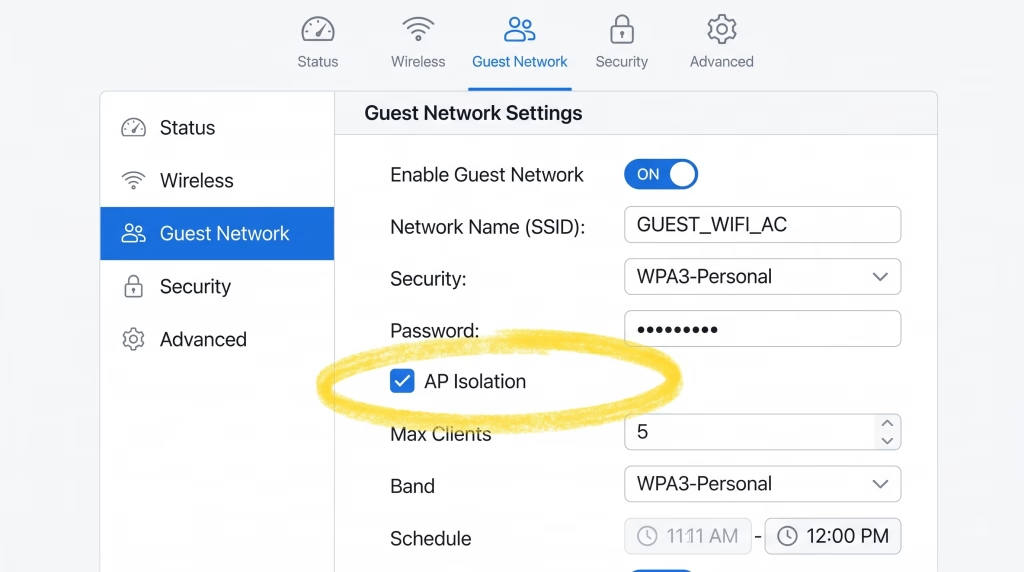
- Enable Guest Wi-Fi: Turn it on.
- Name It Clearly: e.g., “Home_IoT_DoNotConnect”.
- Set a Password: Just because it’s for toasters doesn’t mean it should be open.
- Critical Checkbox: Look for a setting that says “Allow guests to see each other and access my local network” or “AP Isolation”.
- Uncheck/Disable access to local network.
- Check/Enable AP Isolation.
The Result:
Connect all your smart plugs, Alexas, and vacuums to “Home_IoT”. Connect your phones and laptops to your main Wi-Fi. Your smart devices can still reach the internet (to check the weather), but they are isolated from your sensitive data.
Method 2: The Prosumer Approach (VLAN Tagging)
If you have enthusiast gear (like Ubiquiti Unifi, TP-Link Omada, or MikroTik), you should implement proper IoT network segmentation using 802.1Q VLAN tagging.
Step 1: Create the VLAN
In your router settings, create a new Network/VLAN.
- VLAN ID: 20
- Name: IoT_VLAN
- Subnet: 192.168.20.1/24 (Different from your main 192.168.1.1 range)
Step 2: Create the Wireless Network (SSID)
Create a specific Wi-Fi network (e.g., “SmartHome_Wi-Fi”) and assign it to operate only on VLAN 20. This ensures any device connecting to this SSID is automatically segmented.
Step 3: Firewall Rules (The Magic)
By default, some prosumer routers (like Unifi) actually allow traffic between VLANs. You must explicitly block it to maintain a secure smart home.
- Rule: “Block Inter-VLAN Traffic”
- Source: VLAN 20 (IoT)
- Destination: VLAN 10 (Main)
- Action: DROP
Now, your thermostat is mathematically incapable of sending a packet to your file server.
The “No Internet” Zone (For IP Cameras)
Some devices are so insecure they should not talk to the internet at all. Cheap IP cameras are notorious for phoning home to servers in foreign countries, posing a huge risk to smart home privacy.
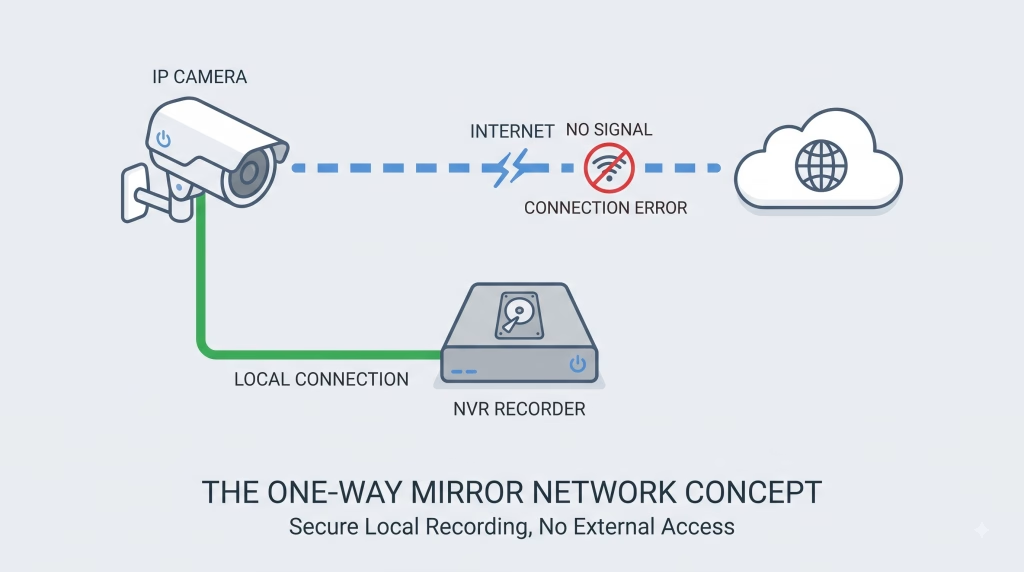
If you have an NVR (Network Video Recorder) that records locally:
- Put cameras on a specific VLAN (e.g., VLAN 30).
- Create a Firewall Rule: Block WAN Access for VLAN 30.
- Result: Cameras can talk to the NVR, but they cannot send footage to the internet.
Summary: Zero Trust for Toasters
It sounds paranoid, but in cybersecurity, paranoia is just “good hygiene.”
Your laptop holds your tax returns, your passwords, and your work documents. Your robotic vacuum holds dust. They do not have equal value, and they should not share the same level of trust.
By prioritizing IoT network segmentation, you ensure that the inevitable vulnerabilities in smart gadgets remain a nuisance, not a catastrophe.
Next Step: We have hardened the perimeter, the pipe, and the internal devices. But what happens when you leave your house? Learn how hackers steal data at coffee shops in [Cluster 2.4: Detecting “Man-in-the-Middle” attacks on public Wi-Fi].