How to Spot Social Engineering Attacks in 2026: Phishing & AI Scams
Introduction: Why Social Engineering Attacks Target Human Vulnerability
You can have military-grade encryption and a perfectly segmented network, but none of it matters if social engineering attacks convince you to willingly hand over your password.
This is the core of social engineering attacks. Instead of finding a technical flaw in a computer system, hackers find psychological flaws in humans. They use fear, urgency, curiosity, and authority to manipulate you into making a mistake—whether that is clicking a malicious link, downloading malware, or wiring money to a fraudulent account.
In 2026, social engineering attacks are the number one cause of data breaches globally. As technical defenses have grown stronger, hackers have realized it is much easier to “hack the human”. This guide will break down the psychology of these attacks, explore the terrifying rise of AI-powered scams, and teach you how to develop a “Zero Trust” mindset for your daily digital life.
social engineering is a leading cause of data breaches.
Part 1: The Evolution of Phishing in Social Engineering
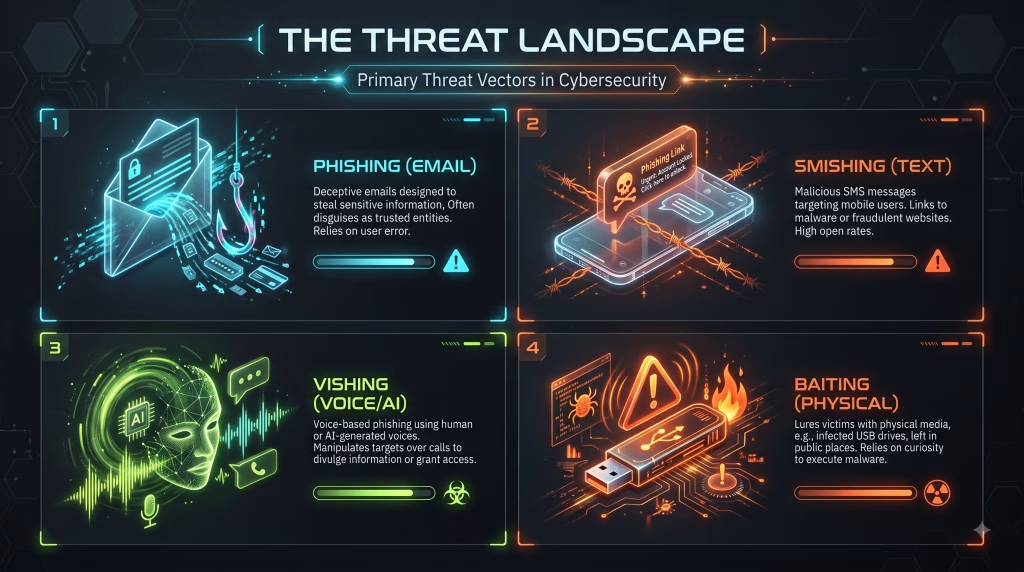
The most common form of social engineering is phishing. Years ago, this meant easily detectable emails from foreign princes. Today, phishing scams are highly targeted, grammatically perfect, and terrifyingly convincing.
1. Spear Phishing
While standard phishing casts a wide net, spear phishing targets you specifically. Attackers scour your LinkedIn, public social media, and data broker sites to craft a custom message.
- Example: An email claiming to be from your actual boss, referencing a project you are actually working on, asking you to review an attached “urgent invoice” (which contains malware).
2. Business Email Compromise (BEC)
This is a multi-billion dollar industry. Hackers compromise the email account of a vendor or executive, quietly observe communication for weeks, and then inject themselves into an email thread at the perfect moment to request a change in wire transfer details.
3. How to Spot Modern Phishing Scams
- Urgency: The message demands immediate action (e.g., “Your account will be deleted in 24 hours”).
- Mismatched Domains: The email says “PayPal Support” but the actual email address is support@pay-pal-secure-login.com.
- Unexpected Attachments: Never open unexpected PDFs or Word documents, even from people you know.
Read the deep dive: [Cluster 3.1: The Anatomy of a Phishing Email]
Part 2: Smishing and Vishing (The Mobile Threat)
Hackers know that people are getting better at spotting bad emails. So, they have moved to your phone.
Smishing (SMS Phishing)
We are conditioned to open and trust text messages immediately. Smishing leverages this trust. You receive a text about a missed package delivery (UPS/FedEx) or a frozen bank account, complete with a link.
- The Rule: Never click links in unexpected text messages. If you get a text from your bank, close the text, open your official bank app, and check for alerts there.
Vishing (Voice Phishing) & AI Voice Cloning
This is where 2026 cybersecurity gets scary. Vishing used to mean a human scammer calling you. Now, attackers use AI voice cloning.
With just three seconds of publicly available audio (from a TikTok, YouTube video, or voicemail), scammers can clone the voice of your child, spouse, or boss. They use this cloned voice to call you in a fabricated emergency, demanding money or sensitive company data.
- The Defense: Establish a “Safe Word” with your family and key coworkers. If you receive an emergency call that sounds like a loved one asking for money, ask for the safe word.
Read the deep dive: [Cluster 3.2: Defeating AI Voice Cloning and Deepfake Scams]
Part 3: Baiting and Quid Pro Quo
Not all social engineering attacks rely on fear. Many rely on greed or curiosity.
Baiting
Baiting relies on the victim’s curiosity. A classic example is the “USB Drop”. An attacker leaves a USB drive labeled “2026 Executive Salary Adjustments” in the company parking lot. Someone will inevitably pick it up and plug it into a secure corporate laptop to see what is on it. The moment it connects, malware is installed.
Quid Pro Quo (Fake Tech Support)
In this scenario, the attacker offers a service or benefit in exchange for information. The most common is the Fake Tech Support scam.
- You get a pop-up on your screen saying your computer has a virus and you must call a 1-800 number.
- The “technician” offers to fix the problem for free, provided you let them remotely access your computer.
- Once they are in, they steal your data and lock your files.
Part 4: The Reconnaissance – OSINT (Open Source Intelligence)
How did the spear phisher know you were at that conference? How did the vishing scammer know your mother’s maiden name? They used OSINT.
OSINT is the collection of data from public sources: social media, public records, news articles, and leaked databases.
You Are Leaking Data
Every time you post a photo of your boarding pass on Instagram, you give away your booking reference. Every time you update your LinkedIn job description, you tell hackers exactly what software your company uses. Hackers build a “Dossier” on their targets before they ever send the first email.
Read the deep dive: [Cluster 3.4: OSINT basics: How hackers find your info to craft attacks]
Part 5: Building a “Verify, Don’t Trust” Mindset
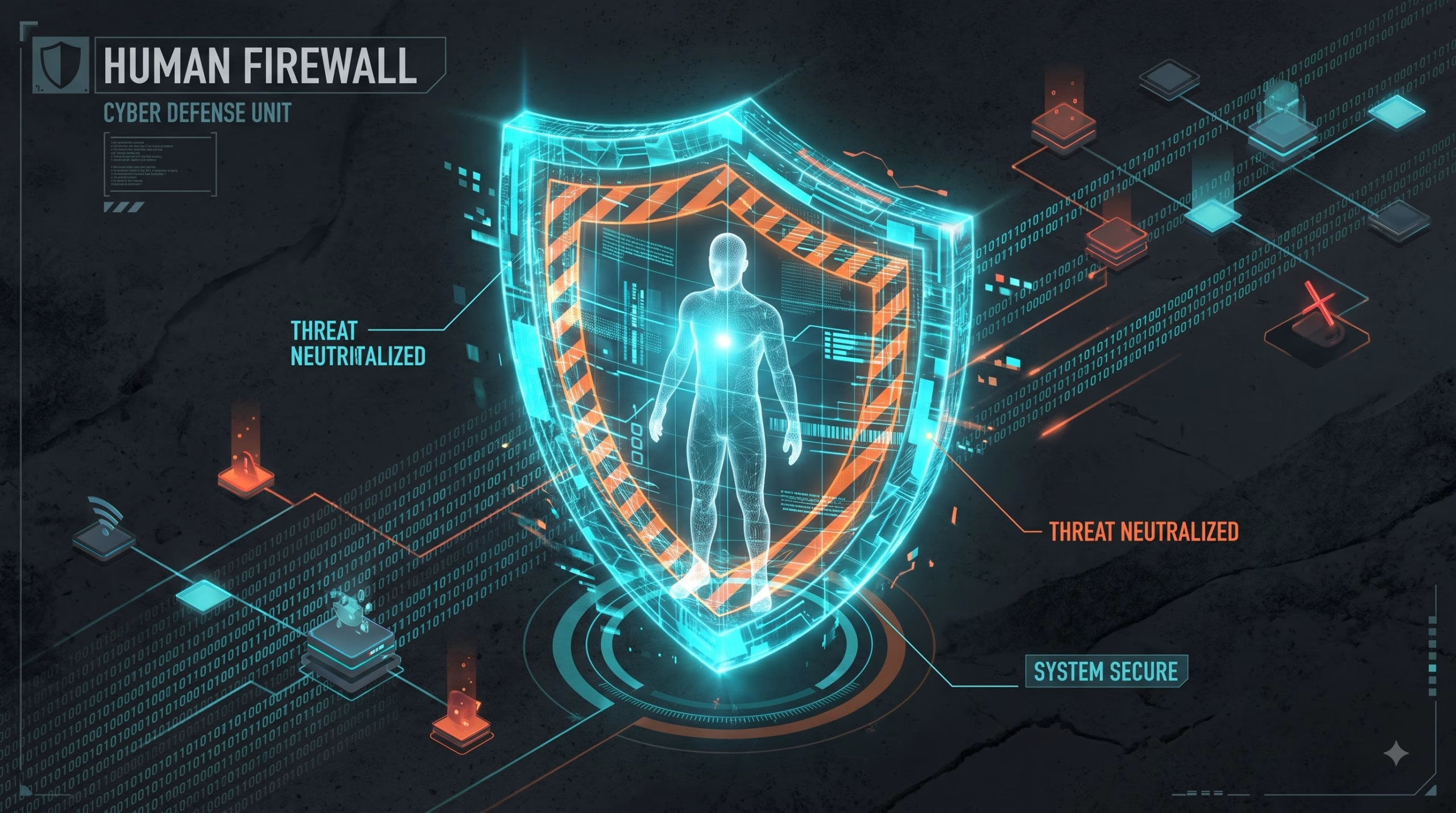
To defend against advanced social engineering attacks, you must upgrade your personal cybersecurity awareness. You need a mental firewall.
1. Slow Down
Hackers rely on emotional manipulation to bypass your critical thinking. Whether it is fear (an IRS audit), excitement (a free gift card), or empathy (a friend in trouble), their goal is to make you act fast. Take 60 seconds to breathe before clicking or responding.
2. Out-of-Band Verification
If someone asks for sensitive information or a money transfer, verify it using a different method of communication.
- If you get an email from the CEO asking for a wire transfer, call the CEO.
- If you get a text from your bank, log into the website directly.
- If you get a phone call from tech support, hang up and email the official IT desk.
3. Limit Your Digital Footprint
Spear phishing relies on the information you put on the internet. The less you share about your daily routines, your software stack, and your internal company hierarchy on LinkedIn and social media, the harder it is for an attacker to build a convincing profile against you.
Conclusion: The Ultimate Firewall is You
Social engineering attacks will continue to evolve. As AI deepfakes become indistinguishable from reality, technical filters will fail. The last line of defense is a skeptical, educated human.
By understanding the tactics of phishing scams, treating unexpected requests with suspicion, and practicing out-of-band verification, you make yourself an exceptionally hard target.
The Human Firewall Checklist
- Verify the Sender: Check the actual email address, not just the display name.
- Hover the Link: Does the URL match the destination?
- Beware of Urgency: “Immediate action required” is almost always a scam.
- Sanitize Social Media: Set profiles to private and remove personal identifiers.
- Establish Code Words: Have a verbal password with family/colleagues for emergency money requests.
Next Step: You know how to spot the scams. Now, let’s look at what happens when a scammer brings the attack into the physical world. Proceed to [Cluster 3.3: Physical Security and Tailgating] to learn how to secure your physical workspace.