



Introduction: Why Digital Identity Security is the New Perimeter
Ten years ago, personal cybersecurity was simple: install antivirus software and enable a firewall. Today, that model is obsolete. Your digital life doesn’t live on your hard drive anymore; it lives in the cloud, spread across banking apps, social media platforms, and government portals.
In 2025, hackers don’t “break in” essentially—they log in.
If an attacker compromises your digital identity security, they don’t need to hack your network; they simply walk through the front door using your credentials. This makes Identity and Access Management (IAM) the single most critical skill for personal online safety.
This comprehensive guide will walk you through the four pillars of modern identity security: robust authentication, hardware-backed verification, breach containment, and access control.
Part 1: Authentication & Password Security
The foundation of online safety is “authentication”—proving you are who you say you are. For decades, we have relied on the alphanumeric password. Unfortunately, the password is a dying standard, prone to reuse, phishing, and brute-force attacks.
The Mathematics of a Strong Password
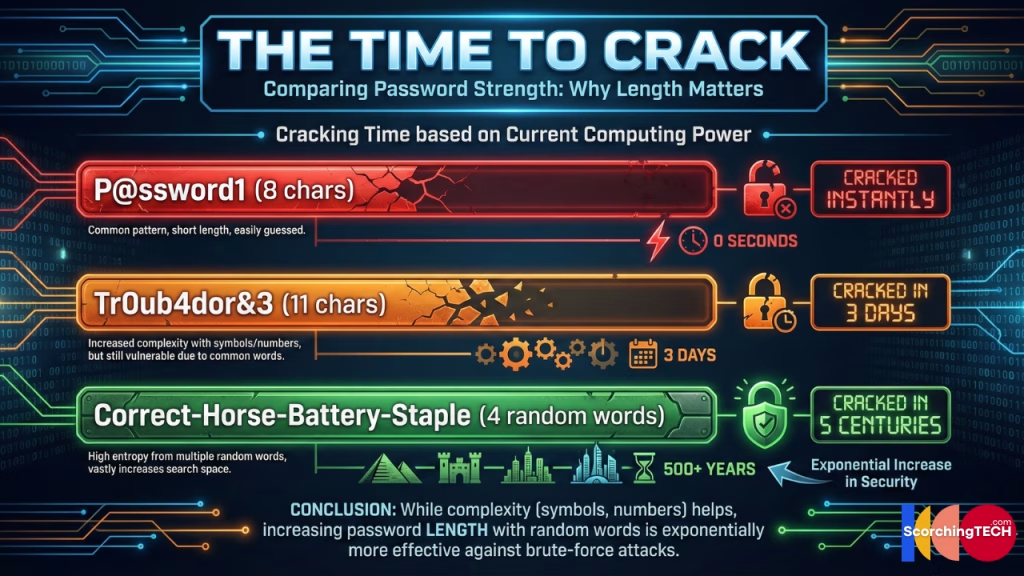
Most people underestimate how quickly modern GPUs can crack short passwords. An 8-character password can be cracked in minutes. A 12-character password takes centuries. When it comes to password security, length is mathematically superior to complexity.
However, the human brain isn’t designed to remember unique, random 20-character strings for the 150+ accounts the average user possesses.
The Solution: Using a Password Manager
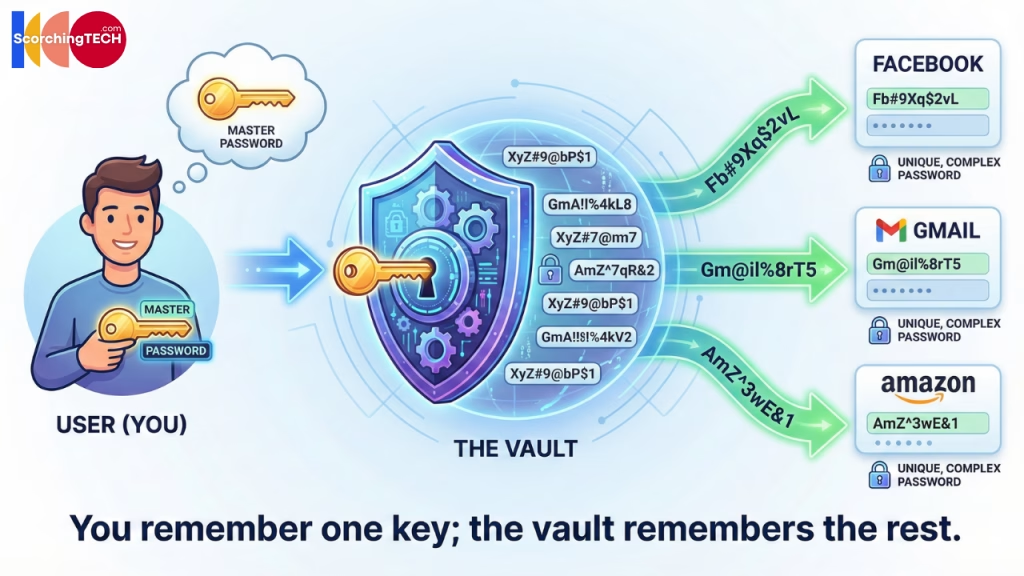
If you know your passwords, your security is weak. A secure system relies on a Password Manager (like Bitwarden, 1Password, or Proton Pass). This shifts the burden from memory to storage. You remember one “Master Password,” and the software generates and injects cryptographic noise (e.g., Xy9#mP2!qL$v) for every other site.
The Future: Passkeys vs. Passwords
While password managers patch the problem, Passkeys aim to solve it. Passkeys rely on public-key cryptography (FIDO standards). Your device generates a private key that never leaves your phone or laptop, and sends a public key to the website. There is nothing for a hacker to phish, and nothing for a server to leak.
Internal Link Opportunity: We dive deep into the transition from traditional credentials to cryptographic logins in our dedicated guide: [Link to Cluster 1: Password Managers vs. Passkeys: Which is actually safer?]
Part 2: Multi-Factor Authentication (MFA) & 2FA
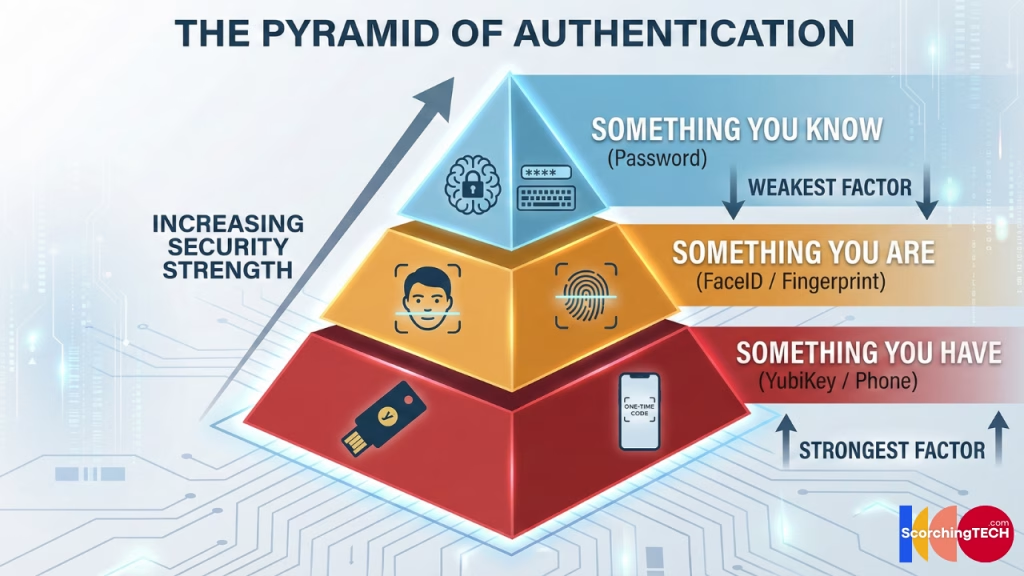
Authentication has three factors:
- Something you know (Password)
- Something you have (Phone, Token, Key)
- Something you are (Biometrics)
Relying solely on “Something you know” is negligent in the modern threat landscape. You must layer a second factor. However, not all Multi-Factor Authentication (MFA) is created equal.
The Weak Link: SMS 2FA Risks
Most banks default to sending a 6-digit code via SMS. This is better than nothing, but it is vulnerable to SIM Swapping. A hacker can socially engineer your carrier into transferring your phone number to their SIM card, allowing them to intercept your secure codes.
The Standard: Authenticator Apps (TOTP)
Time-Based One-Time Passwords (like Google Authenticator or Raivo) generate codes locally on your device. Because these don’t travel over the cellular network, they are immune to SIM swapping attacks.
The Gold Standard: Hardware Security Keys (YubiKey)
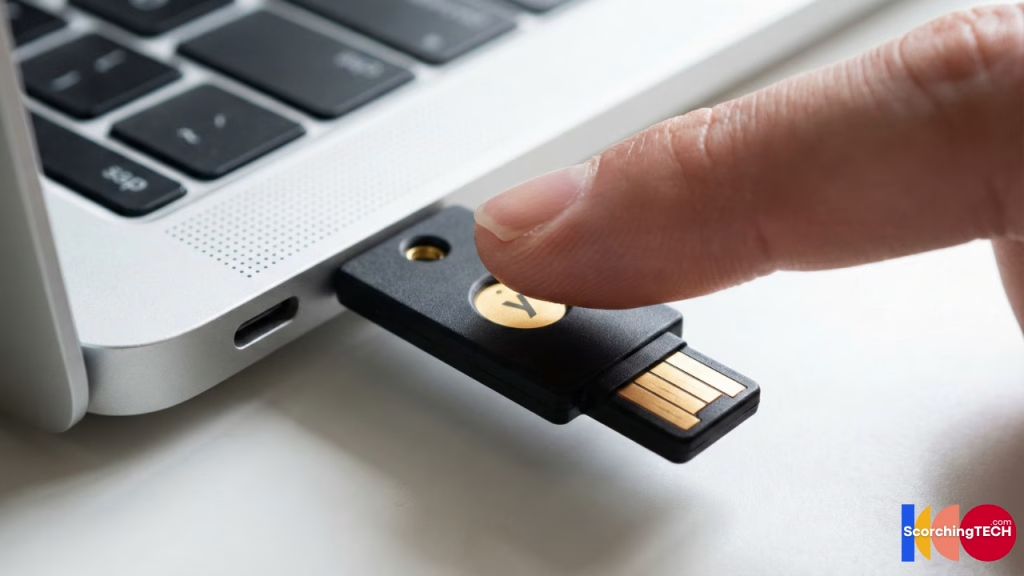
The ultimate level of protection is a physical hardware security key, such as a YubiKey or Google Titan. These devices are phishing-resistant. Even if you are tricked into visiting a fake version of google.com, your hardware key will recognize the domain mismatch and refuse to authenticate.
Internal Link Opportunity: Ready to lock down your most critical accounts? Read our tutorial on [Link to Cluster 2: How to set up Hardware 2FA (YubiKey) for beginners].
Part 3: Data Breach Monitoring & Containment
Even with perfect hygiene, your data lives on servers you do not control. When a service provider (like a hotel chain, credit bureau, or social network) gets hacked, your data is exposed. This is inevitable.
The “Have I Been Pwned” Protocol
You must proactively monitor the dark web for your credentials. Services like Have I Been Pwned allow you to check if your email has appeared in data dumps.
When a breach occurs, speed is essential. The window between a breach becoming public and hackers testing those credentials on other sites—a technique known as Credential Stuffing—is shrinking.
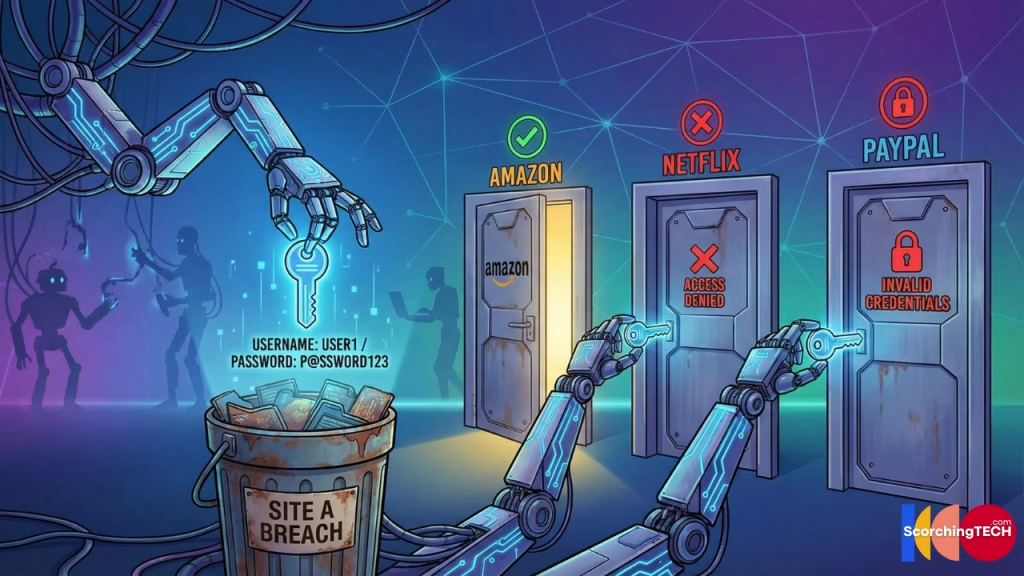
Investigating the Blast Radius
If your email and password for “Service A” are leaked, every other service where you used that same password is now compromised. This is why password uniqueness (discussed in Part 1) is non-negotiable for identity theft protection.
Part 4: Managing OAuth & Third-Party Access
Have you ever clicked “Log in with Google” or “Log in with Facebook” to access a new app? This is called OAuth (Open Authorization).
It is convenient because it saves you from creating a new account. However, it creates a massive dependency chain. If your Google account is compromised, every app linked to it falls like a domino.
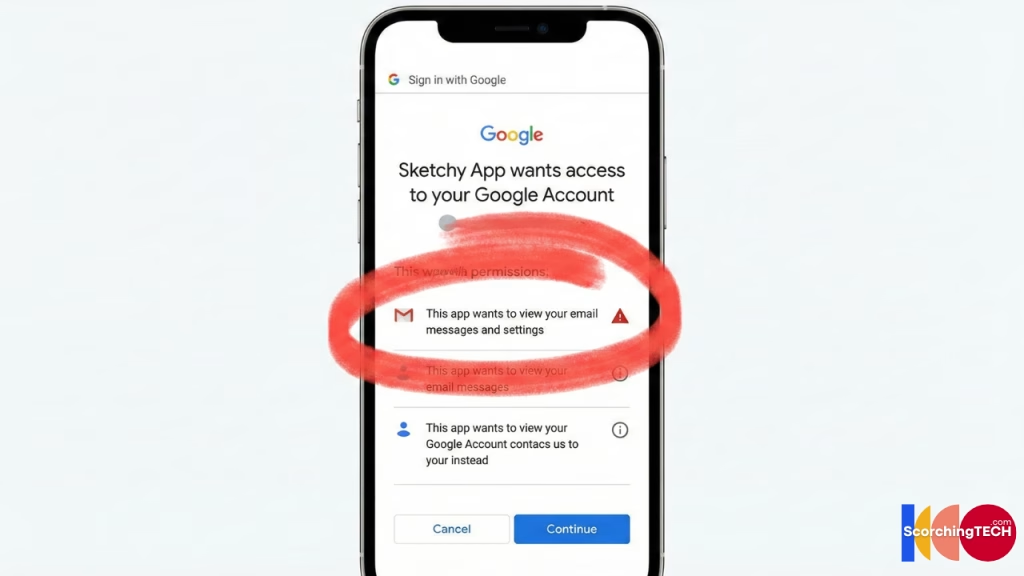
The “Silent” Permissions Risk
Furthermore, many users grant excessive permissions without reading the fine print. Does that flashlight app really need access to your Google Drive? Does that personality quiz really need your Facebook friends list?
You must regularly audit your “Connected Apps” settings in Google, Facebook, and Twitter to revoke access for services you no longer use. This process is known as reducing your digital footprint and attack surface.
Conclusion: Constant Vigilance
Securing your digital identity is not a “set it and forget it” task. It is a lifecycle.
- Audit your current accounts regularly.
- Upgrade to a Password Manager and ensure unique credentials.
- Secure everything with 2FA (preferably hardware keys).
- Monitor for data breaches and revoke unused access tokens.
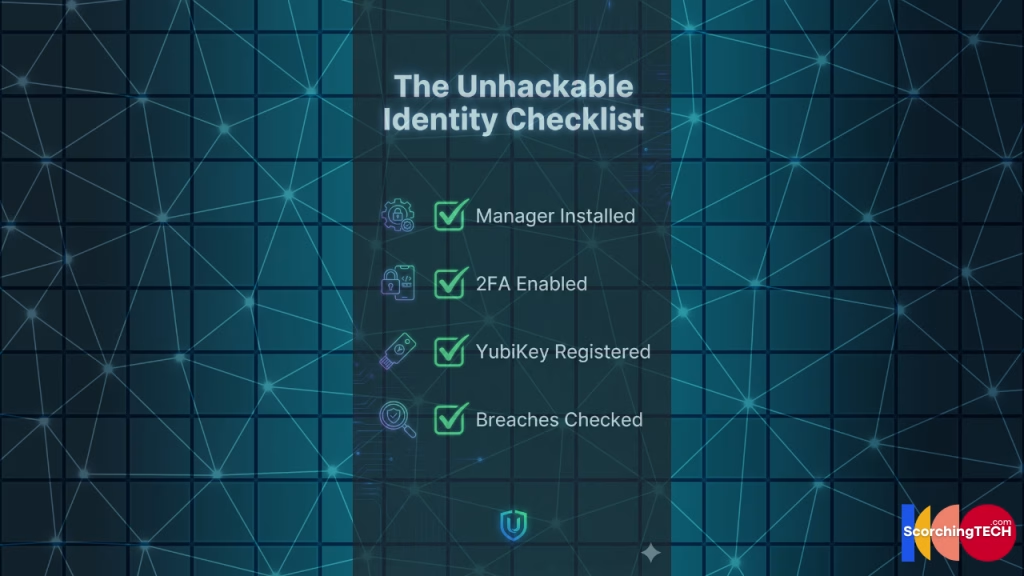
By following this pillar strategy, you make yourself a “hard target.” Hackers are opportunistic; they are looking for low-hanging fruit. By implementing these IAM principles, you ensure that fruit is out of their reach.
Next Steps for Personal Digital Identity Security
- [ ] Download a trusted Password Manager today.
- [ ] Check your primary email on Have I Been Pwned.
- [ ] Order a hardware security key for your email and banking accounts.